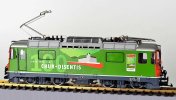
LGB/Marklin 28437 r/r 4/4 2 loco dead !

DRG11

Registered
Country flag
Hi All,

Many thanks for all the help ive been given previously on various things, sorry but im here again ..

I have a LGB 28437 Re 4/4 loco that will not go at all, just seems dead as a dodo,

I do not know the loco address otherwise I may be ok, so i have tried to reset the chip which i understand to be inside using #8 but nothing at all

Has anybody any ideas please before I open it up ?,

Many thanks in advance for any suggestions,

Regards Steve
 
What DCC system do you have? You should be able to read CV1 value if you have a DCC system before you even begin to start thinking about a reset.
 
Hi,

Well ive just tried it on DC and there is nothing at all, checked the switches in the cab as well.

Ive got the Massoth 1210z system,

All i was wanting to do was to change the loco address but it doesn't want to work at all on any address.
 
Hi,

Well ive just tried it on DC and there is nothing at all, checked the switches in the cab as well.

Ive got the Massoth 1210z system,

All i was wanting to do was to change the loco address but it doesn't want to work at all on any address.
It may not necessarily work on DC if the chip does not allow it.

Do you know how to read the Chip on a Program Track?
 
It's a shame you weren't at Stoneleigh today, as we could have checked it for you.

Is there anyone in your area who could help?

Somerset or Wiltshire groups of the G Scale Society for example....
 
Many thanks for replies, Can I use the navigator to read the cv,s ?
Yes you can, but as I said earlier best to run a couple of wires from the controller to a separate programming track.

Using the navi a bit tricky at first till you get used to it. Main point to remember is that the bottom line on the screen is variable with selection if that ootion by pressing M1/2 or 3 below to select the ootion.

So to get to CV updates.
Press M3 (Menu)
-next screen gives lots of options, press M1 (down arrow) to Decoder Progr
Press M2 (ok) to accept that
-next screen more options arrow at left on Loco Address
Press M1 (down arrow) to go to next screen
-next screen gives option CV Read + Prog
Peversly to get to CV-Nr.: you oress M2 (ok)
Press the CV number you want to read by using the Number Pad
Press OK will drop the cursor down to Value to input….HOWEVER TO READ IT PRESS M1 CV>

Get used to reading CV’s this way first then follow the steps till the last one, input the value you wish to change to then press ok and loco should twitch plus CV will be updated.

Read it again to confirm you update has been accepted, keep a notebook for your locomitives to note CV changes, perhaps a use for that old Filofax with a new page for eack locomotive!

Good luck and remember just reading the Cv’s cant get youninto any trouble,
 
Hiya,
Many thanks for all the information on the Navigators use.

My brother is coming up this evening so we will have a look into this and hopefully get it sorted out. I will let you know how we get on,

Thankyou again, Regards Steve
 
Hi,

well ive attempted it and can read the cvs ... ie CV1 shows Vaue 55, Bit 00110111,

but it still wont move at all after trying to change the loco number to default 3 it shows address 7 ?

Is there anything else i can do before screaming ahhhhhhhh
 
Hi,

well ive attempted it and can read the cvs ... ie CV1 shows Vaue 55, Bit 00110111,

but it still wont move at all after trying to change the loco number to default 3 it shows address 7 ?

Is there anything else i can do before screaming ahhhhhhhh
Does it move on address 7?

Does it move on DC only....
 
Back
Top Bottom